Pay Afrimax.
Pay for Afrimax internet from your PaySimati wallet.
How
- In PaySimati, choose Pay, then Afrimax.
- Enter the Afrimax ID. The app shows the account name, so you can check it is the right one.
- Choose a plan, or enter an amount.
- Confirm with your PIN.
The payment is credited to the Afrimax account.
Paying Afrimax is free on every plan.
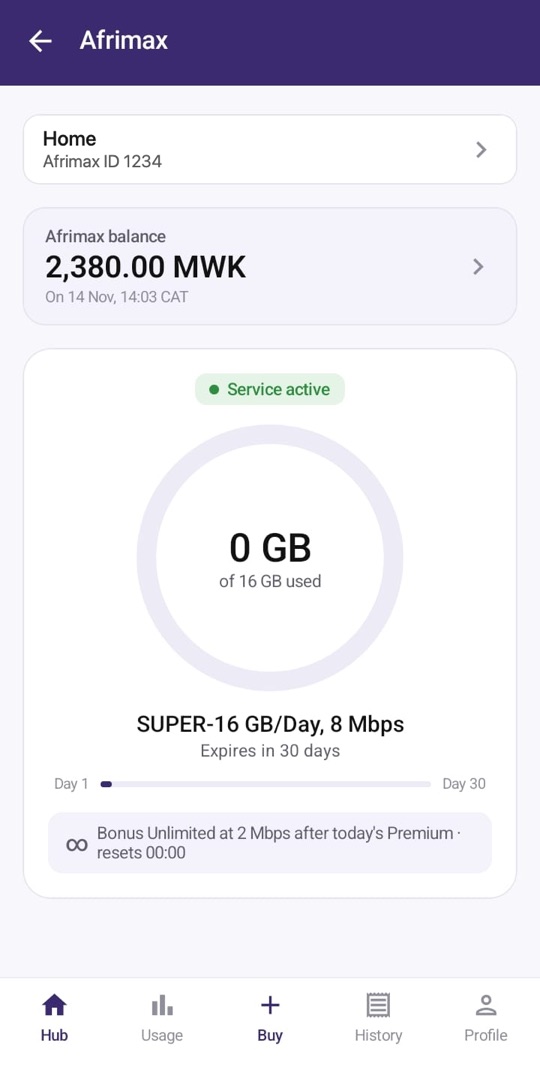
See your internet
Link your Afrimax account in the app to see your plan, the data you have left, your balance and what you have paid.
No wallet?
A PaySimati agent can take your cash and pay Afrimax for you. Bring the Afrimax ID.
In the app
Plans and coverage
Afrimax plans, prices and coverage are on the Afrimax site.